To release a mailbox number from a customer's account after it was deactivated, follow these steps:
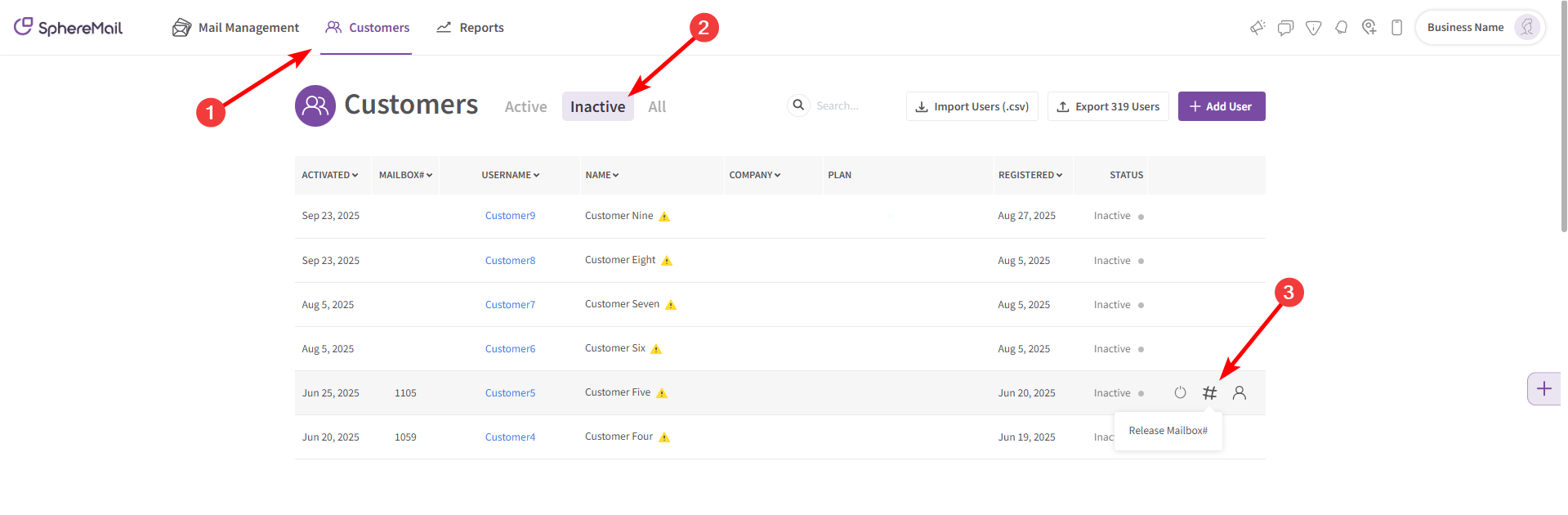
- Go to the section titled "Customers".
- Search for the inactive user from the "Inactive" tab.
- The inactive user must have an assigned mailbox number that you want to release.
- Release the mailbox number in question by clicking on the "#" icon.
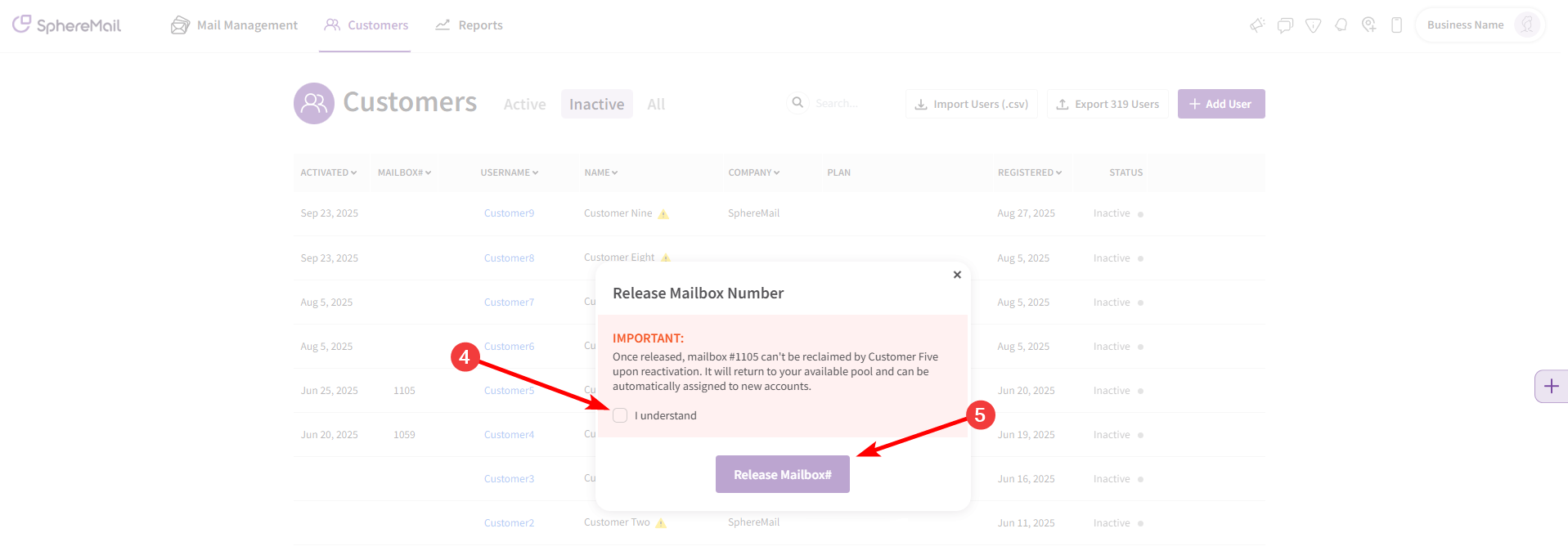
- Confirm that this number won't be reclaimable for the same customer if they sign up again.
- Click on "Release Mailbox#" to save changes.
- This mailbox number has now been returned to your available pool and can be assigned to new accounts.
To reassign a mailbox number for a customer's account, follow these steps:
- Go to the section titled "Customers".
- Search for the desired customer (the one you want to assign the released mailbox number to).
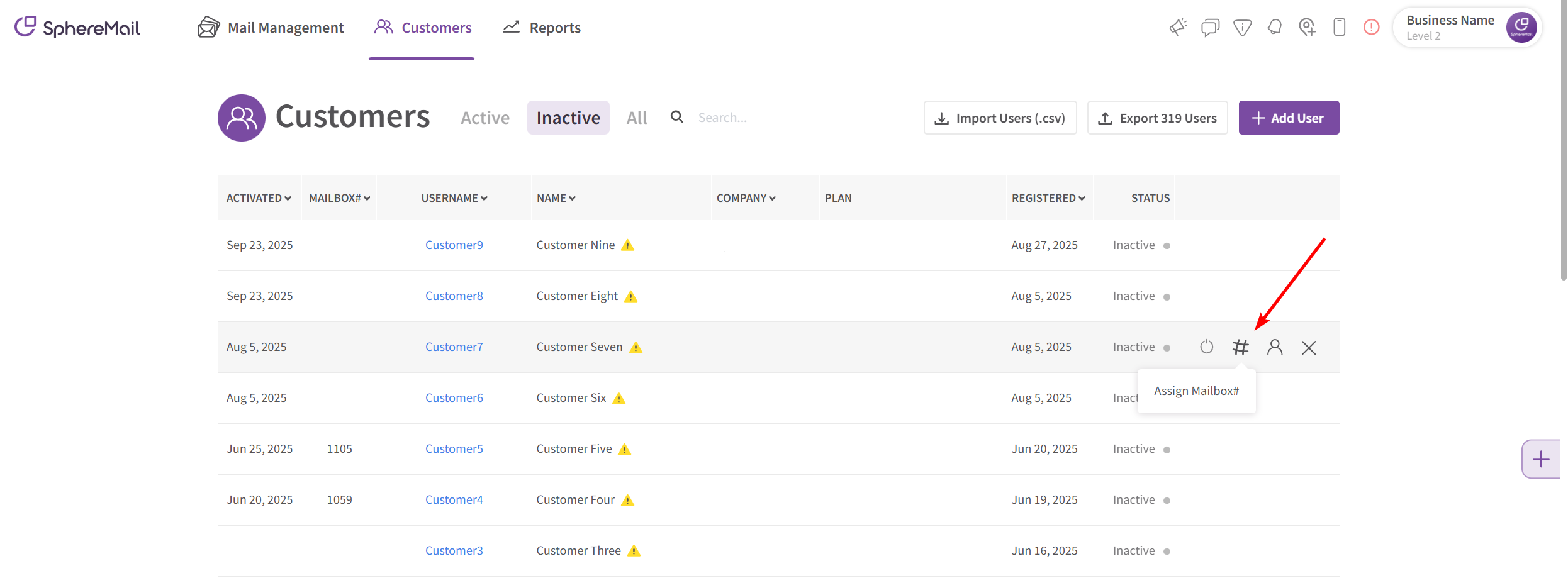
- Go to the # icon and click on it.
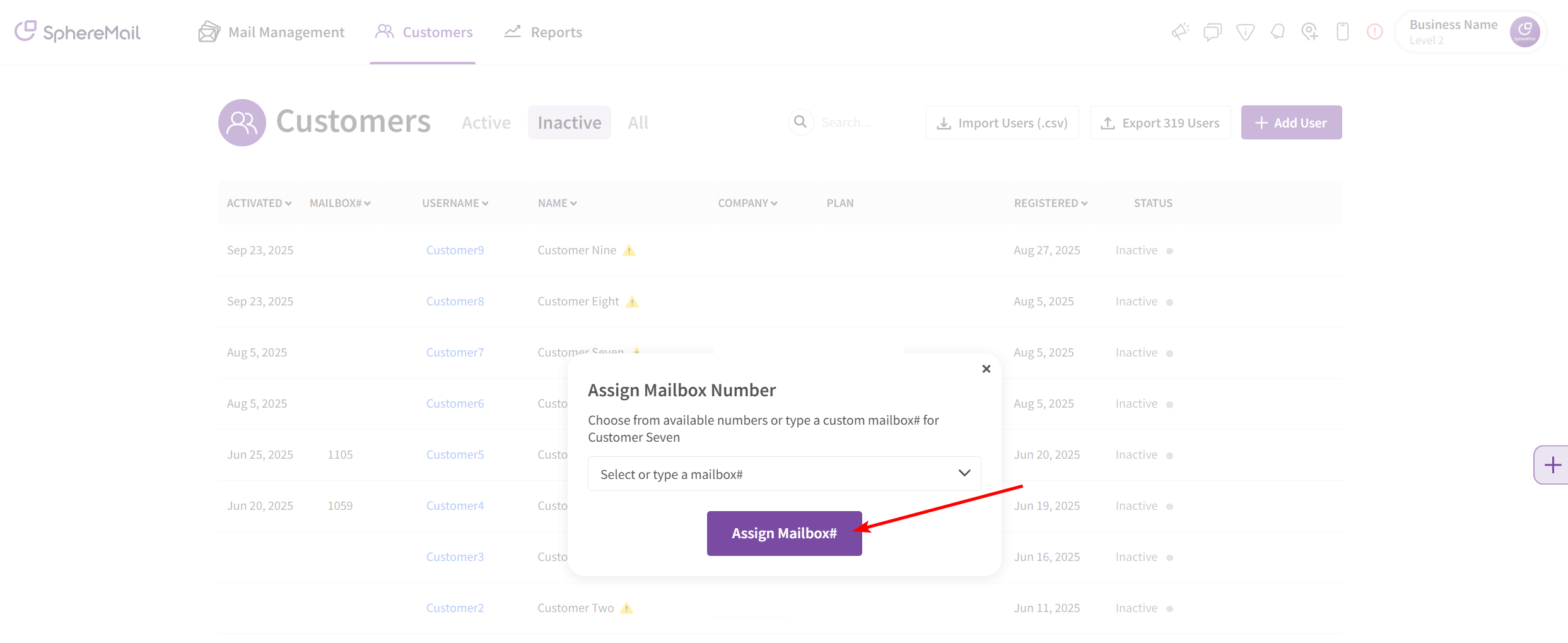
- A pop-up message will appear titled "Assign Mailbox Number".
- Click on the drop-down menu titled "Select or enter Mailbox#" you'll find the number you released at the very top of the menu or you can just enter the number and it will appear.
- After choosing the released mailbox number, click the "Assign Mailbox#" button to save changes.